 Hospitality
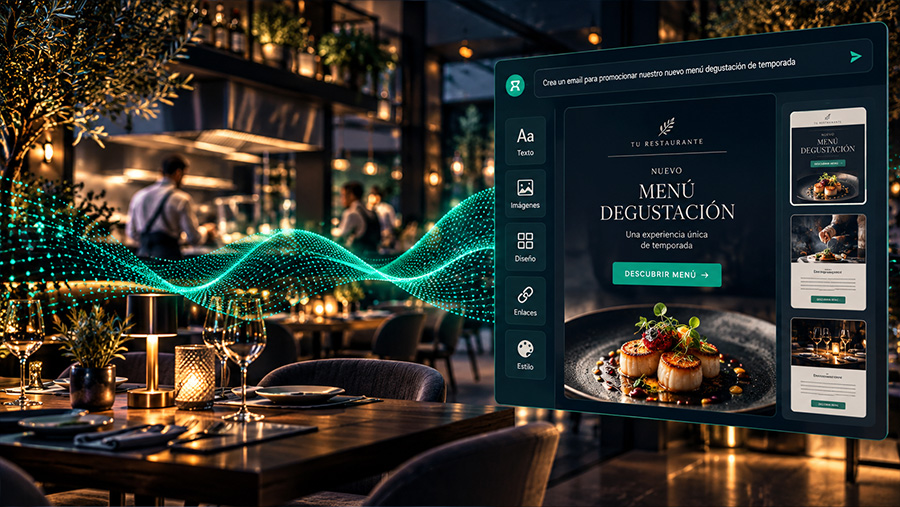
Create emails for your hospitality business
Newsletters, promotions or any other communication ready in minutes with AI
- ✓Describe what you want to add to your email in a natural conversation
- ✓AI can add direct links or content from other websites
- ✓You need no design or layout skills
Companies that already trust SEION
+ 30 h
of weekly work saved with SEION at a single company
How to create emails for your hospitality business with AI?
It's Thursday, summer is just around the corner, and the newsletter has to go out tomorrow. In this video, you'll see how Seion's AI designs a complete email with five coastal destinations, adds a block to book a room, and finishes it with articles from the hotel's blog.
With SEION's AI agents, hotels, hotel chains, and restaurants can create their newsletters without relying on a designer or an agency. Simply describe the campaign in natural language: the AI drafts the texts, selects the images, and assembles the email by modules (header, destinations, closure, and reservation button) on the spot. Additionally, it can review your website or blog to add recommended content, and each block can be adjusted by requesting it, for example, «add a section to book a room in these cities». Before sending it, you can view it in other languages and send yourself a test email.
Problem and solution
What holds you back today, solved in three moves
The problem
How SEION solves it
01
The emails are piling up.
Repetitive inquiries about orders, returns, stock, and invoices that consume hours each day.
→
Enter through your usual mailbox
Seion connects to Outlook, Gmail, or your forms and classifies each query upon arrival. No migrations.
02
Your team is overwhelmed.
They dedicate the day to mechanical tasks instead of adding value to the customer and the business.
→
The AI writes with your context
Search your order information, stock, and billing, and prepare an accurate response with your brand tone.
03
The customers expect
Slow responses generate frustration and tickets that you could have avoided.
→
Response sent instantly
It goes out from your mailbox with your signature, 24/7. You choose what is sent automatically and what your team reviews beforehand.
Explore all our AI demos
Discover other use cases of our AI agents to automate your business:
Hospitality
Preguntas frecuentes sobre crear un panel de análisis de datos con IA en Sanitario
Do I need to know design or HTML to create emails?
No. Describe the campaign in natural language and the AI creates the complete template. If you want to change something, you can ask in the chat or edit the module directly.
Where does the analytics panel get its data from?
Can I edit the email generated by the AI?
Does the panel update automatically, or does it need to be generated each time?
Can I request a different panel for each area of my business?
Are the data being analyzed secure?
Can I share the panel with my team?
Automatiza tu negocio
Discover what you can improve with AI
Tell us what your company needs and we'll show you how SEION can help.
ISO 27001
Tus datos se alojan en la UE y no se comparten con terceros.
✓
Solicitud recibida
Muy pronto recibirás en tu correo más actualizaciones sobre automatizar con IA.
